
Portrait: a small, natural expression
The person blinks once and gives a gentle smile. Keep the head almost still, the background stable and the camera fixed.
Photo to video
Turn a still photo into a short video with the AI photo animator online. Upload a portrait, product shot or old photo, describe the movement, and preview a downloadable MP4.
JPG, PNG or WebP · Up to 10 MB per image · Sign in to generate
Generation uses credits. Check your balance and the displayed cost before starting; available free credits can cover eligible jobs.
Starter credits are subject to eligibility and expire. Advanced models use paid credits.
Tap a template to autofill the prompt.
Explore photo-animation references: a woodland portrait, a low-angle footwear shot and a curious animal character. Your source photo, motion prompt and selected model will shape the result.
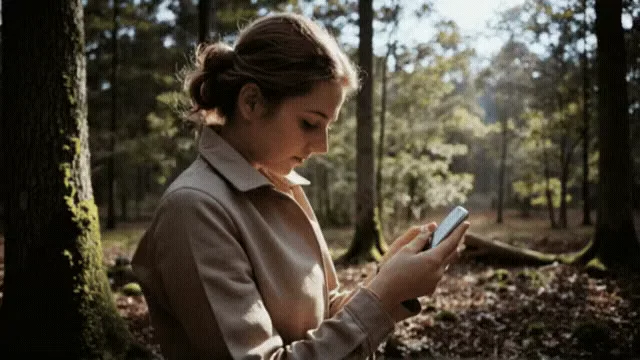
A small camera move and shifting sunlight add depth to a quiet portrait. Try restrained motion while keeping the face and hands stable.
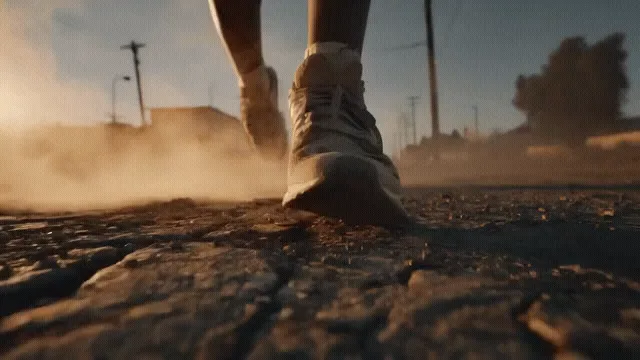
A ground-level camera follows a pair of sneakers through drifting dust. Use a clear product photo and describe one camera move at a time.
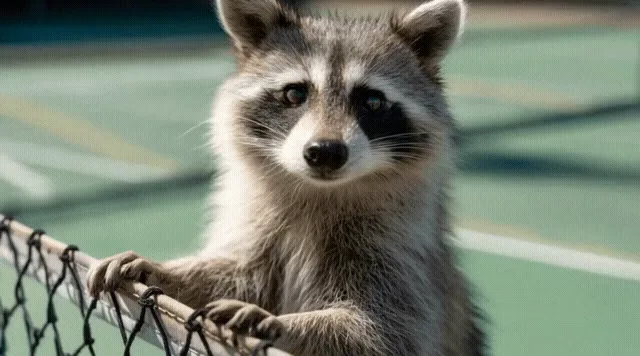
A raccoon turns its head and looks around beside a tennis net. Start with a simple gesture to keep the character readable and expressive.
Reference clips: Lightricks / LTX-Video · Sources & license
This AI photo animator uses your uploaded picture as the starting frame. A single subject with clear edges gives the image animator a stronger starting point than a crowded, blurry scene.
Guide subject movement and camera direction with a text prompt. Ask for one main action, then use the available duration, resolution and audio settings to shape the clip.
Watch the completed video before downloading the MP4. Your generation history keeps a route back to saved tasks, so you can return to your results after leaving the page.
Use the AI photo animator in three steps. The workbench above handles the upload, generation progress and finished video.
Sign in and add a JPG, PNG or WebP image up to 10 MB. Choose a picture you own or have permission to animate.
Write a specific action, such as a gentle smile or a slow camera push-in. Pick a model and available output settings, then review the credit cost shown before generation.
Start the job and follow its progress. When the MP4 is ready, check faces, hands and fine details before downloading or sharing. Revisit saved results in History.
Describe movement rather than repeating everything visible in the photo. To animate images with fewer competing instructions, start with one action and one camera choice. These are prompt ideas, not guaranteed outcomes.
The person blinks once and gives a gentle smile. Keep the head almost still, the background stable and the camera fixed.
The camera slowly moves closer to the product. Keep the object stationary, with soft studio lighting and no new objects entering the frame.
Clouds drift slowly and leaves move in a light breeze. Keep the buildings still and use a steady, wide camera view.
If a face or product changes too much, reduce the motion, try a shorter clip and keep the camera fixed. Change one setting at a time so you can see what helped.
The default Animate model offers the options below. Other models have their own limits and prices; the generator shows the settings available for your selection.
| Setting | Default Animate options |
|---|---|
| Clip length | 4, 8 or 12 seconds |
| Resolution | 480p, 720p or 1080p |
| Sound and camera | Optional generated audio and a fixed-camera setting |
| Download | MP4 video; watermark and clean-download access depend on your account and plan options |
You can use an AI photo animator free of charge when your account has enough eligible free credits for the selected job. Sign in to check your balance. Starter credits and promotions depend on current availability and eligibility; this is not an unlimited free service.
The AI photo animator shows the credit cost before you generate. A longer clip, higher resolution, audio or another model can change that cost. Start with a short clip, review the result, then spend more credits on the version you want to keep.
View credit packs and plansChoose a clear source image and a motion that fits the subject. An AI photo animator can suggest movement, but it may also change details that were not clear in the original.
Scan the photo clearly, crop distracting borders and focus on one face. Try a blink or a small smile. The movement is generated by AI; it does not recover how that person actually moved or repair a damaged original automatically.
A slow push-in can turn a still product photo into a clip for a listing or social post. Inspect logos, printed text and proportions before using the result. Commercial use is subject to the applicable plan and terms.
Use gentle light, hair or background movement to animate artwork. Large pose changes ask the model to invent unseen details; a subtle animation is often a more useful first experiment.
Practical answers about photos, motion, free credits and downloads.
Open the AI photo animator, choose one clear movement and check the credit cost. Start with a short clip and build from the result.
Animate my photo